The Git Commands I Run Before Reading Any Code
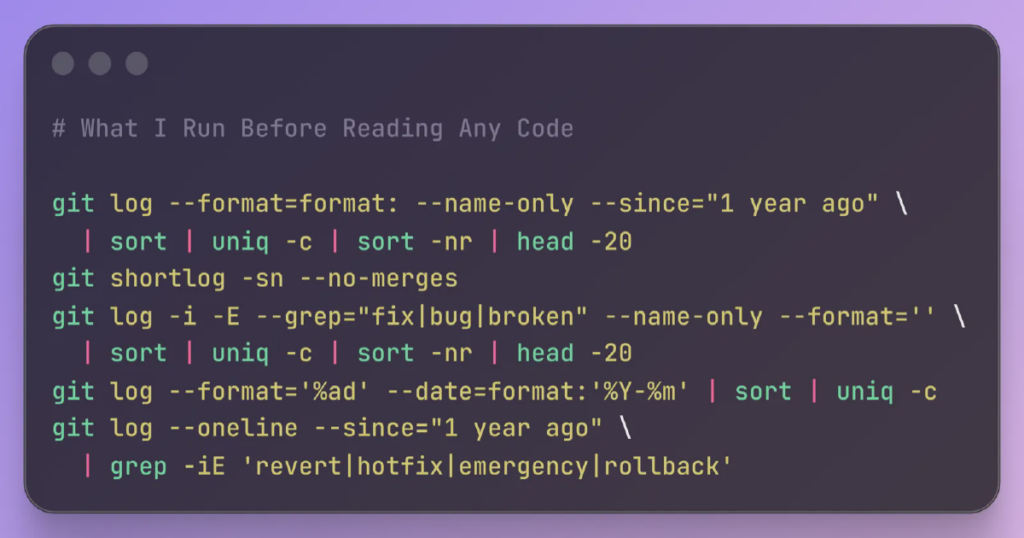
The first thing I usually do when I pick up a new codebase isn’t opening the code. It’s opening a terminal and running a handful of git commands. Before I look at a single file, the commit history gives me a diagnostic picture of the project: who built it, where the problems cluster, whether the team is shipping with confidence or tiptoeing around land mines. What Changes the Most git log –format=format: –name-only –since=”1 year ago” | sort | uniq -c | sort -nr | head -20 The 20 most-changed files in the last year. The file at the top is almost always the one people warn me about. “Oh yeah, that file. Everyone’s afraid to touch it.” High churn on a file doesn’t mean it’s bad. Sometimes it’s just active development. But high churn on a file that nobody wants to own is…